Llama 3.2 infrastructure
Llama 3.2 Hardware Requirements: RAM and VRAM for 1B and 3B
Llama 3.2's text models are small enough to run on almost any recent laptop, but their 128K context window is not small. At long context the KV cache, not the weights, decides the hardware. This page works through AIG's three layers — parametric estimate → actual artifact fit → workload planning — for the 1B and 3B models.
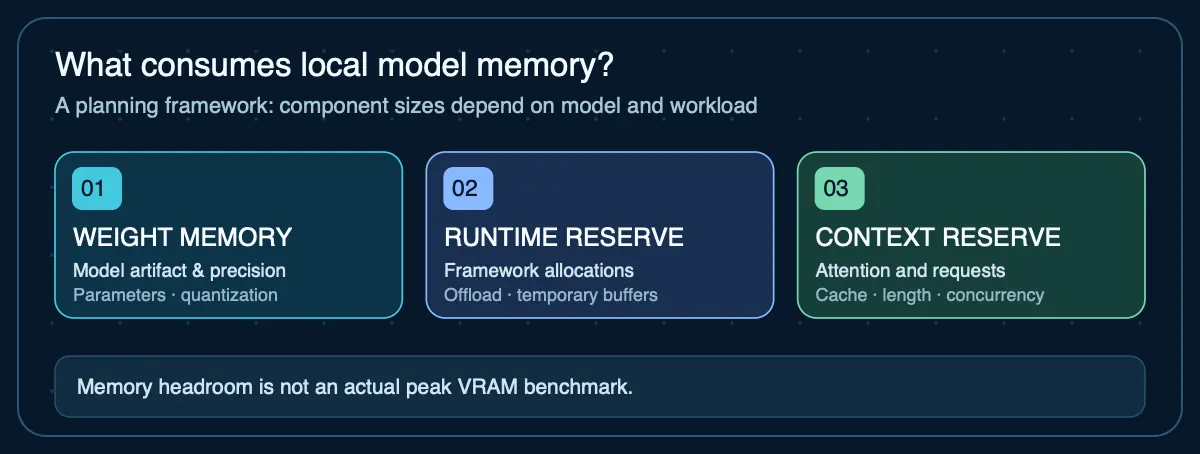
Llama 3.2 hardware requirements: quick answer
At 4K context — Ollama's default below 24 GiB of VRAM — Llama 3.2 3B needs about 2.5 GB and 1B about 1.4 GB, so either runs on a 4 GB GPU, an 8 GB Mac or a CPU-only machine. Context is what changes the answer. The 3B model stores 112 KiB of KV cache per token, so filling its 128K window adds about 15 GB — more than seven times its 2 GB artifact. Size Llama 3.2 for the context you will configure, not the parameter count.
Sizing framework: three layers
- Parametric estimate: parameter count × bits per weight ÷ 8. For models this small the result is under 1.6 GB at 4-bit — rarely the binding constraint.
- Actual model artifact fit: the file you will load. Note that Ollama's two default Llama 3.2 tags use different quantizations (Layer 2).
- Conservative workload planning: artifact + KV cache for your configured context + runtime overhead + OS reserve + one cache per concurrent request. For Llama 3.2 this layer dominates.
Layer 1: Parametric weight estimates
| Model | 16-bit weight floor | 8-bit floor | 4-bit floor |
|---|---|---|---|
Llama 3.2 1B 1.24B parameters | ~2.5 GB | ~1.2 GB | ~0.6 GB |
Llama 3.2 3B 3.21B parameters | ~6.4 GB | ~3.2 GB | ~1.6 GB |
CALCULATED. Parameter count × bit width ÷ 8. The 11B and 90B Llama 3.2 Vision models are separate multimodal models and are not covered here.
Run Layer 1 for your own Llama 3.2 configuration
Starts on Llama 3.2 3B at 4-bit — the 1.6 GB floor in the table above. Then raise the context reserve to the KV-cache figure from Layer 3 for your context length; for long-context work it will be the largest number in the estimate.
Why context reserve is manual: exact attention-cache memory cannot be inferred safely from parameter count alone. For a real deployment, measure the specific model and runtime at the context length and batch size you intend to use.
Your next step
This planning estimate is within a base Mac mini's advertised memory tier, but real quantized files, cache and macOS usage may still prevent the model from fitting. Check the exact configuration.
Check this against a Mac mini configuration →Open the full RAM and VRAM calculator → for the method, the caveats, and how it differs from the artifact-based compatibility checker.
Layer 2: Actual model artifact sizes
The two default Ollama tags are not quantized the same way. llama3.2:1b ships as Q8_0 — 8-bit, which is why the 1B file is 1.3 GB rather than the ~0.6 GB 4-bit floor suggests. llama3.2 (3B) ships as Q4_K_M at 2.0 GB, about 5 bits per weight once quantization scales are included. If you are comparing the two, compare like for like.
| Ollama tag | Quantization | Size | Effective bits / weight |
|---|---|---|---|
llama3.2:1b | Q8_0 | 1.3 GB | ~8.4 |
llama3.2 / llama3.2:3b | Q4_K_M | 2.0 GB | ~5.0 |
DOCUMENTED (sizes and quantizations) and CALCULATED (bits per weight = size × 8 ÷ parameter count). Other quantizations of both models are listed on Ollama's tags page.
Check Llama 3.2 on my hardware →Layer 3: Workload planning — the KV cache is the real requirement
Both models use grouped-query attention with 8 key/value heads. The 1B has 16 layers with a head dimension of 64; the 3B has 28 layers with a head dimension of 128. At the default 16-bit cache precision that is 2 (K and V) × layers × 8 × head dimension × 2 bytes per token: 32 KiB for 1B and 112 KiB for 3B.
| Model · context | KV cache (f16) | KV cache (q8_0) | Artifact + f16 KV | +20% headroom |
|---|---|---|---|---|
| 1B · 4K (Ollama default below 24 GiB VRAM) | 0.13 GB | 0.07 GB | 1.4 GB | 1.7 GB |
| 1B · 32K (Ollama default at 24–48 GiB) | 1.07 GB | 0.54 GB | 2.4 GB | 2.8 GB |
| 1B · 128K (maximum) | 4.29 GB | 2.15 GB | 5.6 GB | 6.7 GB |
| 3B · 4K (Ollama default below 24 GiB VRAM) | 0.47 GB | 0.23 GB | 2.5 GB | 3.0 GB |
| 3B · 32K (Ollama default at 24–48 GiB) | 3.76 GB | 1.88 GB | 5.8 GB | 6.9 GB |
| 3B · 128K (maximum) | 15.03 GB | 7.52 GB | 17.0 GB | 20.4 GB |
CALCULATED from config.json, using the Ollama artifact sizes from Layer 2. Runtime allocations beyond the KV cache are covered by the headroom column, not modelled separately.
- The default context depends on your hardware: Ollama's context-length documentation picks it from available VRAM — 4K below 24 GiB, 32K from 24 to 48 GiB, and 256K at 48 GiB and above (its FAQ still says 4,096). Ollama caps the requested context at the model's supported limit, so a 48 GiB+ GPU's 256K default is capped at Llama 3.2's 128K window. You can set
OLLAMA_CONTEXT_LENGTHornum_ctxexplicitly for your workload; check the effective context and GPU offload withollama psand plan from the matching row. The documentation does not say how Apple-silicon unified memory is counted, so verify the effective context on a Mac too. - Concurrency multiplies the cache: Ollama documents that memory scales with
OLLAMA_NUM_PARALLEL × OLLAMA_CONTEXT_LENGTH. Four parallel 32K requests on the 3B model add about 15 GB of f16 cache — the same as a single 128K request. - KV cache quantization:
OLLAMA_KV_CACHE_TYPE=q8_0roughly halves cache memory (the q8_0 column), which brings 3B at 128K from about 17 GB to about 9.5 GB. Ollama requires Flash Attention for quantized cache and applies it to every loaded model. - OS and application reserve: on an 8 GB Mac or phone the OS and other apps share the same memory, so the 4K rows are the realistic operating range.
Which Llama 3.2 model fits 4 GB, 8 GB or 16 GB?
4 GB GPU: both models at 4K context; the 3B with about 1.5 GB to spare. 8 GB GPU or Mac: both models up to 32K context, or 1B at the full 128K. 16 GB: the 3B at long context — up to the full 128K with a q8_0 cache, but not with the default f16 cache, which needs about 17 GB. Above 16 GB, the question is usually whether a larger model would serve you better than more context on a 3B one.
Can Llama 3.2 run on a CPU, Raspberry Pi or phone?
Yes — this is the use case the 1B and 3B models were built for. With Ollama or llama.cpp on the CPU they use the same memory as above, drawn from system RAM: an 8 GB machine runs either at short context. Speed is limited by memory bandwidth, so a 1.3–2 GB model generates tokens much faster on the same CPU than a 7B or 14B model does. For broader CPU and unified-memory sizing, see the local AI RAM requirements guide.
Llama 3.2 1B vs 3B: which do you need?
The memory difference at short context is about 1 GB, so the 3B is the default choice anywhere it fits. Choose the 1B when you need very long context on small hardware: it stores 32 KiB per token against the 3B's 112 KiB, so 128K of context costs 4.3 GB instead of 15 GB. For larger Llama models — 3.1 8B, 70B and 405B — see the Llama hardware requirements guide.
Sources
- Meta Llama 3.2 3B Instruct model card— 1B and 3B text models, 128K context, Llama 3.2 Community License
- Llama 3.2 1B Instruct config.json (ungated mirror)— 16 layers, 8 key/value heads, head dimension 64; Meta's repository is gated, so this mirror of the same config was used
- Llama 3.2 3B Instruct config.json (ungated mirror)— 28 layers, 8 key/value heads, head dimension 128
- Ollama — Llama 3.2— 1.3 GB Q8_0 (1b) and 2.0 GB Q4_K_M (3b) default artifacts and 128K context listing, checked October 24, 2026
- Ollama FAQ — context, concurrency and K/V cache— Memory scaling with parallel slots and q8_0 K/V cache; still states a 4,096-token default
- Ollama — Context length— VRAM-based default context: 4K below 24 GiB, 32K at 24–48 GiB, 256K at 48 GiB and above
- Ollama v0.40.10 — model context limit— Caps requested context at the model's training context before starting the runner
Agent Infrastructure Recommendation Kit
Sizing hardware for a Llama 3.2 deployment?
The Agent Infrastructure Recommendation Kit carries these memory numbers into a documented local-vs-cloud decision — artifact fit, context and concurrency reserves, and the verification steps to run before you buy.
Get the Recommendation Kit — $19