Local AI hardware
Best Mac for Local LLMs: Unified-Memory Tiers and Model Fit
For local LLM inference on Apple Silicon, unified-memory capacity is often the first buying decision. A faster chip cannot compensate for a model that does not fit comfortably in available memory.
| Mac | Unified memory | Bandwidth | Best fit | Main consideration |
|---|---|---|---|---|
| Mac mini M6 | 16–32 GB unified memory | 153–170 GB/s | Smaller quantized models, experimentation, light local inference | Good entry point, but memory becomes the limit quickly with larger models. |
| Mac mini M5 Pro | 24–64 GB unified memory | 307 GB/s | Mid-size quantized models and heavier local-AI development | More memory bandwidth and headroom than the base mini while remaining compact. |
| Mac Studio M5 Max | 36–128 GB unified memory | 460–614 GB/s | Larger local models, heavier inference, more simultaneous workloads | Higher memory bandwidth and configurations with substantially more unified memory. |
| Mac Studio M5 Ultra | 96–512 GB unified memory | 1.2 TB/s | Large models and workloads that require very high unified-memory capacity | Highest-memory desktop class in the current Studio lineup. |
Configurations and bandwidth from apple.com/mac-mini/specs and apple.com/mac-studio/specs. Checked September 17, 2026. Previous M4, M4 Pro, M4 Max, and M3 Ultra models are discontinued.
Can a Mac mini run an LLM locally?
Yes. Apple Silicon Macs can run local language models using runtimes designed for Metal and unified memory. The practical limit is usually the amount of unified memory available after allowing room for macOS, the inference runtime, context, and other applications.
Can I run an LLM locally on my Mac?
Yes. A Mac can run the model entirely on your own machine, which can be useful for privacy, offline development, experimentation, and avoiding per-token API charges. Larger models require more unified memory and may run considerably slower than smaller quantized models.
How much RAM do I need for a local LLM?
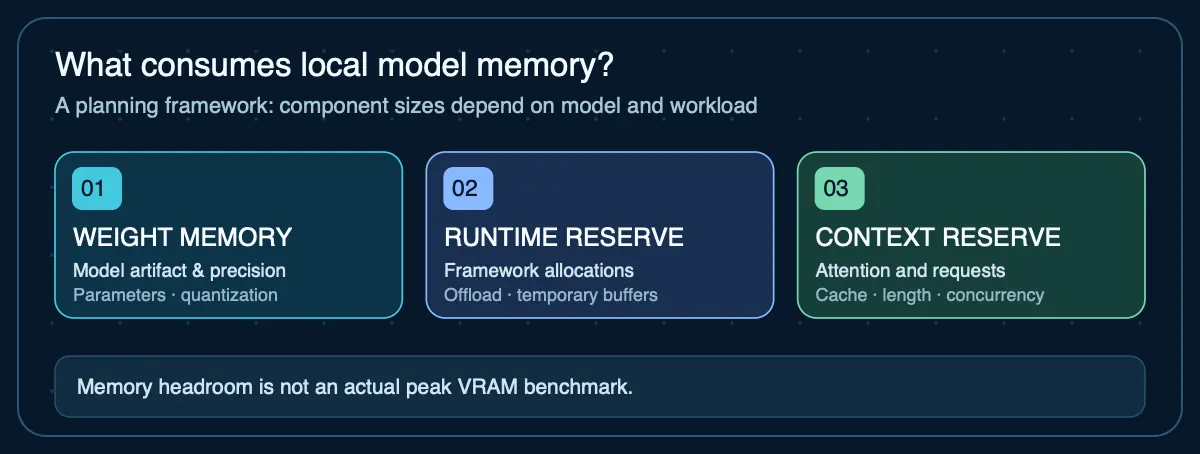
Start with the model artifact size (the actual download, not a parameter-count formula) and add headroom for runtime overhead, context, and other applications. Use the compatibility checker for artifact-based planning or the RAM calculator for parametric estimates.
What is the cheapest way to run LLMs locally?
The lowest-cost approach is usually to use hardware you already own and select a model and quantization that fit comfortably. Buying additional hardware becomes more attractive when local inference is frequent enough that privacy, availability, or avoided cloud usage justifies the purchase.
How Much Unified Memory Does a Mac Need for Local LLMs?
It depends on the specific model artifact, not just parameter count. Quantized model files include metadata and format overhead beyond the theoretical minimum of parameters × bits ÷ 8. For example, the Ollama Gemma 3 27B artifact is 17 GB — larger than the 13.5 GB that a simple 27B × 4-bit formula produces. Start from actual artifact sizes when planning purchases.
Why Apple Unified Memory Matters for Local LLMs
Apple Silicon uses one unified memory pool accessible by CPU and GPU. This allows machines with large unified-memory configurations to run models that would exceed the VRAM capacity of many consumer discrete GPUs, although speed and software support still depend on the runtime and workload.
How to Compare Macs for Local LLM Performance
Tokens per second matters, but model fit, context size, prompt-processing speed, concurrency, power use, reliability, and whether the machine will perform other work at the same time can matter more for an always-on agent node.
Sources
- Apple — Mac mini technical specifications— Current M6 and M5 Pro configurations, unified memory, and bandwidth
- Apple — Mac Studio technical specifications— Current M5 Max and M5 Ultra configurations, unified memory, and bandwidth
- MLX — Unified Memory— Apple silicon CPU and GPU access to the same unified-memory pool
Agent Infrastructure Recommendation Kit
Turn your local-AI hardware choice into a defensible infrastructure plan
The Agent Infrastructure Recommendation Kit gives you a six-step system to define requirements, estimate capacity, compare local, cloud, VPS, GPU, and hybrid options, document evidence, and make the recommendation.
Get the Recommendation Kit — $19