OpenClaw deployment
Best VPS for OpenClaw? Requirements, Providers and Setup
OpenClaw runs as a single Node.js process, so a VPS can be a practical always-on host when the agent uses remote model APIs. The evidence does not support naming one VPS provider or plan as the best yet: OpenClaw does not publish minimum RAM, CPU, or disk requirements, and AIG has not finished provider tests. This guide maps the documented runtime and security requirements to the VPS candidates worth testing.
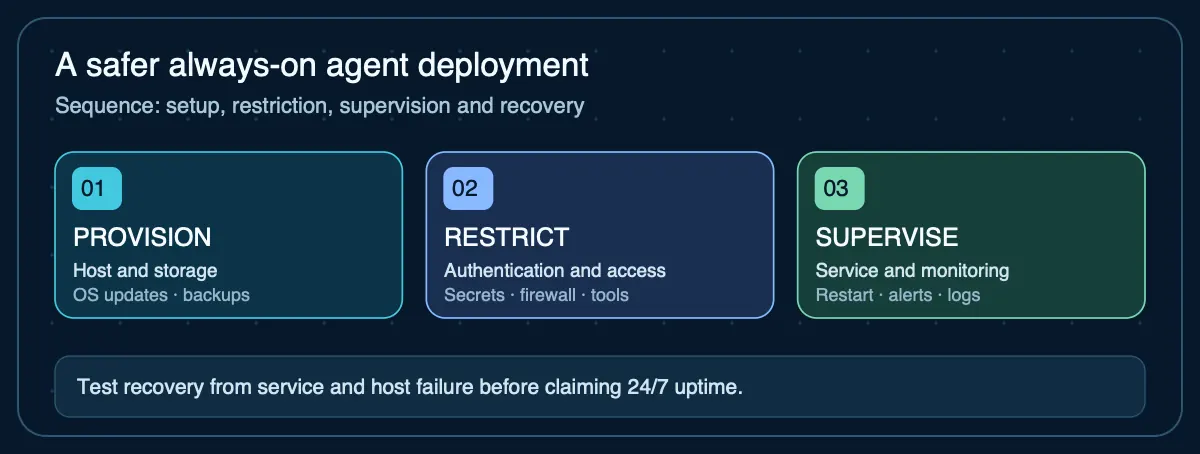
OpenClaw VPS: quick answer
For a cloud-model OpenClaw deployment, start with a Linux VPS that can run Node.js 26 or Docker, persist ~/.openclaw/, restart automatically, and keep the gateway private behind SSH, Tailscale, or an authenticated reverse proxy. Hetzner, DigitalOcean, GCP, Azure, Fly.io, and Railway all appear in OpenClaw's documented deployment paths or current AIG test-candidate set, but AIG will not rank them until measured RAM use, restart behavior, uptime, and real monthly cost are available.
What VPS Do You Need for OpenClaw?
OpenClaw requires Node.js 24.16+ or 26.1+ (26 recommended). The official documentation does not publish minimum RAM, CPU, or disk requirements. The required VPS size depends on whether OpenClaw is mainly routing requests to cloud APIs (lightweight) or also running local models, browsers, or additional tooling (heavier).
Does OpenClaw Need a GPU on a VPS?
No. OpenClaw is a gateway — it routes requests to model providers (OpenAI, Anthropic, Ollama, OpenRouter, etc.) and does not perform inference itself. A GPU is only relevant if you run a local model server like Ollama on the same VPS, which is a separate sizing decision.
Step 1: Choose a VPS Provider
OpenClaw has official deployment guides for several providers. Any Linux VPS with Node.js 26 or Docker support will work.
| Provider | Official guide | Notes |
|---|---|---|
| Hetzner | Docker deployment guide | ARM and x86 options. Competitive European pricing. |
| DigitalOcean | Deployment guide | 2 GB Droplet from $12/mo. |
| GCP | Compute Engine guide | Free tier eligible instances available. |
| Azure | Linux VM guide | Standard B-series instances. |
| Fly.io | Deployment guide | Container platform. Per-second billing from ~$11/mo. |
| Railway | Deployment guide | Container platform with automatic deploys. |
For current pricing, see the OpenClaw hosting comparison.
Step 2: Choose Native or Docker Deployment
OpenClaw supports both direct installation and containerized deployment. Each approach has different operational tradeoffs.
Native installation
The shell installer detects the OS and provisions Node.js if needed. State is stored in ~/.openclaw/ by default (overridable via OPENCLAW_HOME). On Linux, the installer creates a systemd user service for automatic start on boot.
From official documentation
curl -fsSL https://openclaw.ai/install.sh | bashDocker deployment
OpenClaw provides official Docker images and a docker-compose.yml in the repository. Container deployments default to an exposed bind (not loopback) but require authentication. Mount a volume for ~/.openclaw/ to persist state across container restarts.
From official documentation
npx openclaw@latestPackage manager install when Node.js is already present. Docker instructions are in the repository.
Step 3: Secure the Gateway and Remote Access
The OpenClaw gateway binds to loopback (127.0.0.1:18789) by default on native installations. Before exposing it beyond loopback, the documentation requires completing a pre-flight and rollout checklist.
Remote access options
| Method | How it works | Tradeoff |
|---|---|---|
| SSH tunnel | Forward port 18789 from VPS to local machine | Requires SSH access. No gateway exposure. |
| Tailscale | Private WireGuard mesh network | Official integration documented. No public ports. |
| Reverse proxy | Caddy/nginx in front of the gateway | Supported with trusted proxy authentication. Gateway exposed. |
Optional domain setup · affiliate partner
Do you need a domain name for OpenClaw?
Not for a private deployment. SSH tunnels and Tailscale can keep the gateway accessible without buying a domain or exposing a public endpoint. If you deliberately deploy an authenticated HTTPS reverse proxy on a hostname, you may need to register a domain and configure DNS records to point to the proxy. A domain registration alone does not secure OpenClaw or replace gateway authentication and TLS.
EuroDNS is one domain-registration and DNS option to compare on renewal price, available extensions, DNS controls, and support. Agent Infra Guide has not independently tested its DNS service or evaluated it as the best registrar for OpenClaw.
Affiliate disclosure: We may earn a commission from qualifying EuroDNS purchases, at no extra cost to you. This does not affect our provider evaluation. See our affiliate disclosure.
Gateway security features
- DM access modes: pairing (default), allowlist, open, or disabled
- Group access: allowlisted channels, usually behind a mention gate
- WebSocket authentication for gateway connections
- Trust boundary: one trusted boundary per gateway instance (single operator or trusting team, not adversarial multi-tenant)
- Security audit: run
openclaw security auditto detect drift from secure defaults
Step 4: Persist and Back Up OpenClaw State
OpenClaw stores configuration and state in ~/.openclaw/ by default. You can override the location with the OPENCLAW_HOME, OPENCLAW_STATE_DIR, or OPENCLAW_CONFIG_PATH environment variables.
Back up the ~/.openclaw/ directory to preserve configuration, workspace state, and credentials. For Docker deployments, this is the mounted volume. Include .env files in encrypted backups — they contain API keys and secrets.
Step 5: Plan Updates and Recovery
OpenClaw releases approximately monthly, with an extended stable (LTS) channel available (currently v2026.6.35). For production VPS deployments:
- Test updates on a non-critical instance before applying to production
- Back up
~/.openclaw/before upgrading - For Docker: pin image tags rather than using
latest - Consider the LTS channel if you prefer less frequent but more stable updates
- Document how to rebuild the environment from a backup on a fresh VPS
Step 6: Connect Model Providers
After installation, configure at least one model provider. OpenClaw supports cloud providers (OpenAI, Anthropic, OpenRouter, DeepInfra, Cerebras) and local model servers (Ollama, LM Studio, custom endpoints). Model format is provider/model — for example, anthropic/claude-sonnet-4-6.
If Ollama runs on the same machine, OpenClaw discovers it automatically. No manual endpoint configuration is needed unless you override the default Ollama provider settings.
Sources
- OpenClaw — Installation— Official installation methods, runtime requirements, and platform support
- OpenClaw — Gateway Security— Network binding, authentication, remote access, DM modes, and security audit
- OpenClaw — Ollama Configuration— Ollama auto-discovery, model configuration, and local inference setup
- OpenClaw GitHub Repository— Docker configuration, docker-compose.yml, and release history
Agent Infrastructure Recommendation Kit
Need a deployment checklist for your OpenClaw VPS?
The Recommendation Kit includes a VPS deployment planning worksheet, security hardening checklist, backup verification steps, and provider comparison template — so you can deploy OpenClaw with confidence.
Get the Recommendation Kit — $19