gpt-oss infrastructure
gpt-oss Hardware Requirements: RAM and VRAM for 20B and 120B
OpenAI's gpt-oss family has two MoE models branded 20B and 120B. The official cards list about 21B total / 3.6B active parameters for gpt-oss-20b and 117B total / 5.1B active for gpt-oss-120b. Hardware sizing must account for the resident total-weight footprint, not only the active experts.
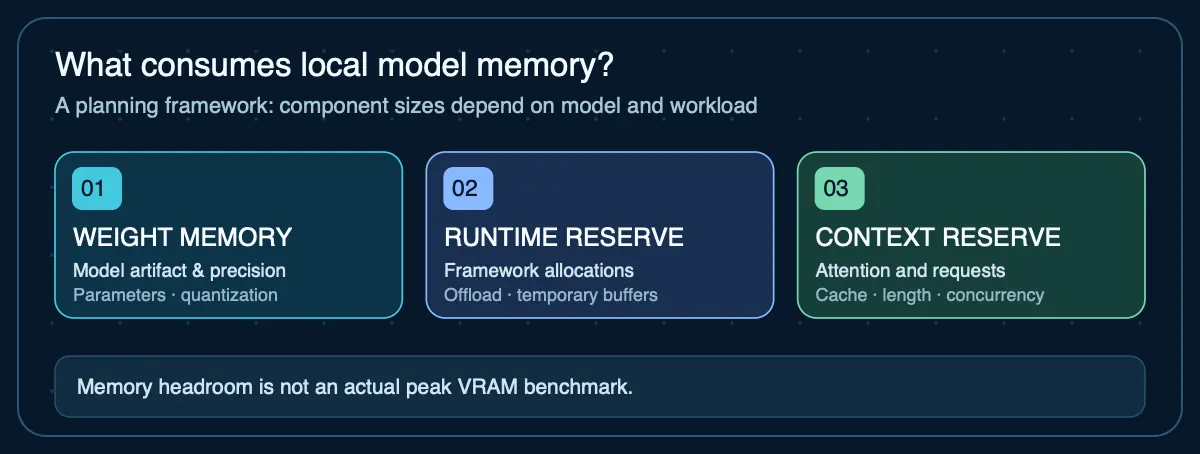
gpt-oss hardware requirements: quick answer
gpt-oss-20b uses 21B total parameters, giving a 10.5 GB 4-bit parametric weight floor before overhead. gpt-oss-120b uses 117B total parameters, giving a 58.5 GB 4-bit floor. OpenAI states the 120B model is designed to fit on a single 80 GB GPU.
Computed RAM / VRAM floors by model
Weight memory is parameter count × bits per weight ÷ 8. The final column is deliberately more conservative: it runs the same 4-bit estimate through AIG's default 20% runtime reserve and 2 GB context/cache reserve. Neither value includes workload-specific concurrency, unusually long context, offload buffers, or multimodal activations.
| Model | 16-bit floor | 8-bit floor | 4-bit floor | 4-bit planning target |
|---|---|---|---|---|
gpt-oss-20b 21B parameters · 21B total parameters; 3.6B active parameters. | 42 GB | 21 GB | 10.5 GB | 14.6 GB |
gpt-oss-120b 117B parameters · 117B total parameters; 5.1B active parameters. | 234 GB | 117 GB | 58.5 GB | 72.2 GB |
CALCULATED. The planning target is weight floor + 20% runtime reserve + 2 GB context reserve. Validate the actual artifact and runtime before buying hardware.
Recalculate gpt-oss for your quantization and reserves
Starts with 21B parameters. Change precision, runtime reserve or context reserve to match your deployment.
Why context reserve is manual: exact attention-cache memory cannot be inferred safely from parameter count alone. For a real deployment, measure the specific model and runtime at the context length and batch size you intend to use.
Your next step
This planning estimate is within a base Mac mini's advertised memory tier, but real quantized files, cache and macOS usage may still prevent the model from fitting. Check the exact configuration.
Check this against a Mac mini configuration →Open the full RAM and VRAM calculator → for the method, the caveats, and how it differs from the artifact-based compatibility checker.
What changes for gpt-oss
These are mixture-of-experts models. Active parameter count describes compute per token, not the full resident model footprint. Use total parameters or the actual distributed artifact when planning memory, then validate with the target runtime's MXFP4 implementation.
Weight fit is not the same as deployment fit
- Check the exact GGUF, safetensors, AWQ, GPTQ or runtime-specific artifact you will load.
- Reserve memory for KV cache, runtime allocations, the operating system and concurrent requests.
- Unified-memory Macs share the same pool with the OS and applications; discrete-GPU systems still need system RAM.
- For MoE models, active parameters reduce compute per token but do not automatically remove inactive expert weights from memory.
Sources
- OpenAI gpt-oss-20b model card— 21B total / 3.6B active parameters and family deployment guidance
- OpenAI gpt-oss-120b model card— 117B total / 5.1B active parameters and single-80-GB-GPU guidance
Agent Infrastructure Recommendation Kit
Sizing infrastructure for gpt-oss?
Use the Agent Infrastructure Recommendation Kit to carry these memory assumptions into a documented local-vs-cloud infrastructure decision with explicit evidence and verification steps.
Get the Recommendation Kit — $19